
TL;DR

Get the little things that make your day delivered free with Prime
- Fast, free delivery on millions of items
- Prime Video, Amazon Music and more included
- Member-only deals all year
The traditional idea that building your own AI workstation is always cheaper no longer holds true. Today, it’s a trade-off between control, speed, support, and cost, with prebuilts offering compelling advantages for many users. Price depends heavily on current component shortages and bulk buying options.
Imagine you’re ready to dive into AI training or inference. You’re faced with a choice: build your own powerhouse or buy a ready-made system. That decision isn’t as straightforward as it used to be. The landscape has shifted dramatically, and what once was an obvious DIY win now demands a closer look.
In this article, you’ll learn how the current market, component prices, and performance factors influence whether you should build or buy. This isn’t just about saving a few bucks — it’s about choosing the right machine for your needs, with all its quirks and perks.
Build vs buy
an AI workstation.
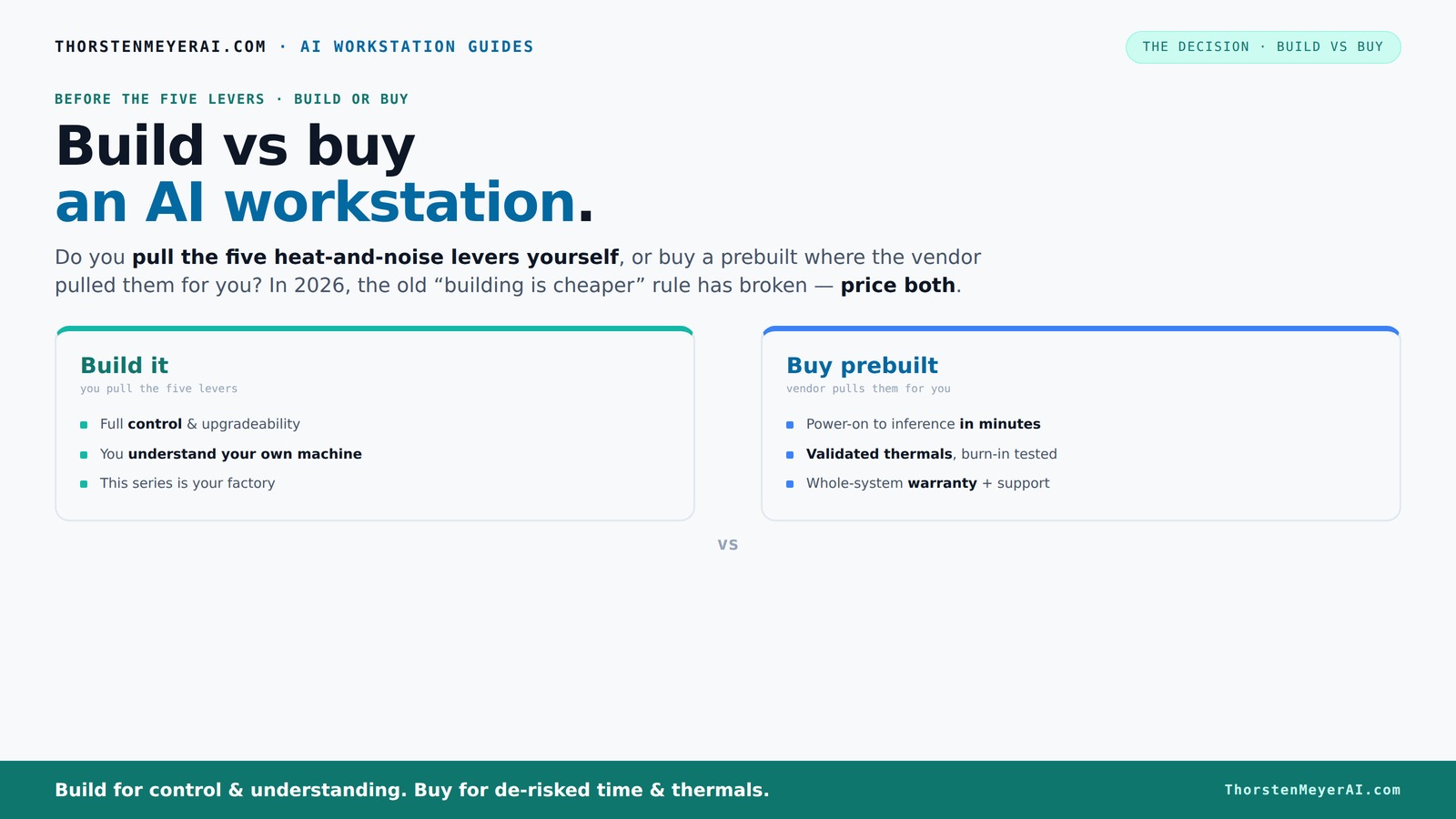
The real question behind this whole series: do you pull the five heat-and-noise levers yourself, or buy a prebuilt where the vendor pulled them for you? And in 2026, the old “building is cheaper” rule has broken. Match your situation in Part 3.
Key Takeaways
- Component shortages in 2026 have made prebuilt systems often as affordable as DIY builds, sometimes even cheaper.
- Prebuilts save time, offer validated thermals, and come with warranty support, making them ideal for quick deployment and reliability.
- Building an AI workstation gives you maximum control over parts, cooling, and future upgrades — but requires time, expertise, and patience.
- Always compare current prices for your exact specs before deciding — assumptions no longer hold in today’s market.
- Focus on GPU VRAM, thermal design, and power delivery for sustained AI workloads, regardless of whether you build or buy.
As an affiliate, we earn on qualifying purchases.
Why Building Might Cost More Than You Think in 2026
Building your own AI workstation used to be the clear winner on price. But in 2026, the game has changed. Component shortages and skyrocketing prices for GPUs, DDR5 RAM, and SSDs mean that sourcing parts often costs more than buying a preconfigured system.
For example, a high-end GPU like the Nvidia RTX 4090, which used to cost around $1,600, can now reach $2,200 or more due to supply constraints. Similarly, DDR5 RAM modules have jumped from $150 to over $250 for 32GB kits. These spikes pile up quickly.
Beyond just the raw price increase, these shortages create a significant tradeoff: longer wait times and unpredictable availability. This can delay your project start, which might be critical if you're on a tight deadline. Moreover, inflated component prices mean that building your own system might not be as economical as it once was, especially when factoring in the time and effort needed to source and assemble parts. The traditional DIY cost advantage diminishes, and sometimes, prebuilt systems that benefit from bulk purchasing can be more cost-effective and ready sooner.
This break from the old rule means you need to do the math yourself. Don’t assume DIY is cheaper — compare prices for your exact specs right now. The decision hinges on current market conditions, which are highly volatile and can dramatically influence your total cost and timeline.
high performance GPU for AI training
As an affiliate, we earn on qualifying purchases.
As an affiliate, we earn on qualifying purchases.
Who Pulls the Levers? Building vs Buying in Thermal and Power Tuning
When it comes to making your AI workstation run quietly and coolly, who does the work? Building gives you the control — you pick the cooling, fans, airflow, and undervolting. Buying means the vendor has already optimized these for you.
Prebuilt systems from companies like Lambda or Puget run extensive burn-in tests, tune fan curves, and often include water-cooling options that lower noise and temperature by up to 30% which can be optimized through build vs buy considerations. They validate these settings before shipping, so you get a machine ready to handle sustained workloads without throttling.
Building your own means you’re the one pulling those levers. You choose a quiet GPU, like the RTX 4090 with a custom water-cooling loop, pick a case with sound-dampening panels, and tune the fans yourself. It’s rewarding but demands time and expertise.
This control over thermals and acoustics is crucial because AI workloads are often long, intensive sessions that generate substantial heat. Proper thermal management ensures your hardware maintains peak performance and longevity, preventing thermal throttling that can slow down training or inference tasks. You might also consider building vs buying an AI workstation to optimize cooling solutions. The tradeoff is that achieving optimal cooling and noise levels requires knowledge, trial, and error—so if you're not experienced, you might end up with a noisier, hotter system, or need to spend more on premium cooling solutions. Conversely, prebuilt systems that come pre-tuned save you this effort but may limit customization and potentially inflate costs.
So, the real question: do you want to spend your time fine-tuning thermals, or pay a premium for a vendor to do it for you? Your choice impacts not only upfront cost but also long-term operational stability and noise levels.
professional AI workstation build kit
As an affiliate, we earn on qualifying purchases.
As an affiliate, we earn on qualifying purchases.
Defining Your Needs and Budget for an AI Workstation
Before jumping into the build or buy decision, it’s essential to clearly define what you need from your AI workstation. Are you training large models, running inference, or experimenting with different architectures? Your workload determines the hardware specs required.
Set a realistic budget based on your current resources and future plans. For instance, if you're just starting out or working on smaller projects, a mid-range system may suffice. To explore options, see how building vs buying a prebuilt AI workstation can fit your needs. Conversely, for cutting-edge research or production-scale deployment, investing in high-end components is justified.
Assess your technical expertise too. Do you have the skills to assemble and troubleshoot a custom build? If not, a prebuilt system with support might save you headaches and time. Also consider your timeline: if you need to deploy quickly, prebuilts can deliver immediate readiness, whereas building from scratch might take weeks or months.
By clearly mapping out your requirements, you can better compare options, avoid overspending on unnecessary features, and choose a system that will serve you well now and in the future.
enterprise AI workstation prebuilt
As an affiliate, we earn on qualifying purchases.
As an affiliate, we earn on qualifying purchases.
Your Buyer’s Checklist for an AI Workstation
Before making a decision, verify these key points:
- GPU model and VRAM — e.g., Nvidia RTX 4090 with 24GB VRAM
- CPU — high core count, like AMD Ryzen Threadripper or Intel Xeon
- RAM — at least 64GB DDR5 for heavy lifting
- Storage — NVMe SSDs for fast data access
- Power Supply — high wattage, quality unit with headroom
- Cooling — water cooling or high-end air coolers for sustained workloads
- Warranty & Support — especially critical for prebuilts
- Upgrade path — room for future GPU or RAM expansion
Matching these specs to your workload ensures your investment hits the mark. For more insights, check out build vs buy a prebuilt AI workstation for detailed guidance.
Frequently Asked Questions
Is a prebuilt AI workstation worth it?
Yes, if you value quick setup, validated thermals, and warranty support. Prebuilts can get you up and running faster and with less hassle, especially for demanding AI workloads. For more on this, visit build vs buy a prebuilt AI workstation to weigh your options.Is building cheaper than buying for AI workstations?
Not always in 2026. Component shortages and bulk discounts mean prebuilts often match or beat DIY prices. Always compare current prices for your exact specs before deciding. You can also learn more about the trade-offs at build vs buy a prebuilt AI workstation.Which is better for training large models: build or buy?
It depends. Building offers precise control over thermals and components, crucial for sustained workloads. Buying provides turnkey reliability and quick deployment, ideal for time-sensitive projects.How much VRAM do I need for AI training?
For most large models, 24GB VRAM like on the RTX 4090 is recommended. If working with very big datasets or multiple models, consider 48GB or more, often via multiple GPUs.Are prebuilts harder to upgrade later?
Generally yes. OEM prebuilts often use proprietary parts, making upgrades tricky. Custom builds with standard components are easier to modify or expand over time.Conclusion
In 2026, the choice between build and buy isn’t just about saving money. It’s about what matters most to you: speed, control, support, or customization. Both paths have their merits, but the smart move depends on your priorities and resources.
Remember, component prices fluctuate, and the best system is the one tuned precisely for your workload. Whether you build or buy, aim for a machine that runs cool, quiet, and reliable — ready to handle AI’s relentless demands. What will your next step be?
NFL season / tailgating Picks
team gear
As an affiliate, we earn on qualifying purchases.